
Best AI Trading Journals for Trade Review: 4 Tools Compared.
- Trading Tools Analyst

Active traders often lose hours each month to manual trade logging and scattered review notes. AI-powered trading journals automate data capture and surface patterns, but they differ significantly in how they connect to brokers, what analysis they automate, and whether they integrate market context. This comparison examines four tools serving active traders: HybridTrader, TraderSync, Tradesea, and TradeZella. Your ideal choice depends on your current platform, whether you prioritise market fundamentals or trading psychology, and how you prefer to review decisions.
HybridTrader publishes this article and is included in the comparison.
Last verified: October 22, 2026
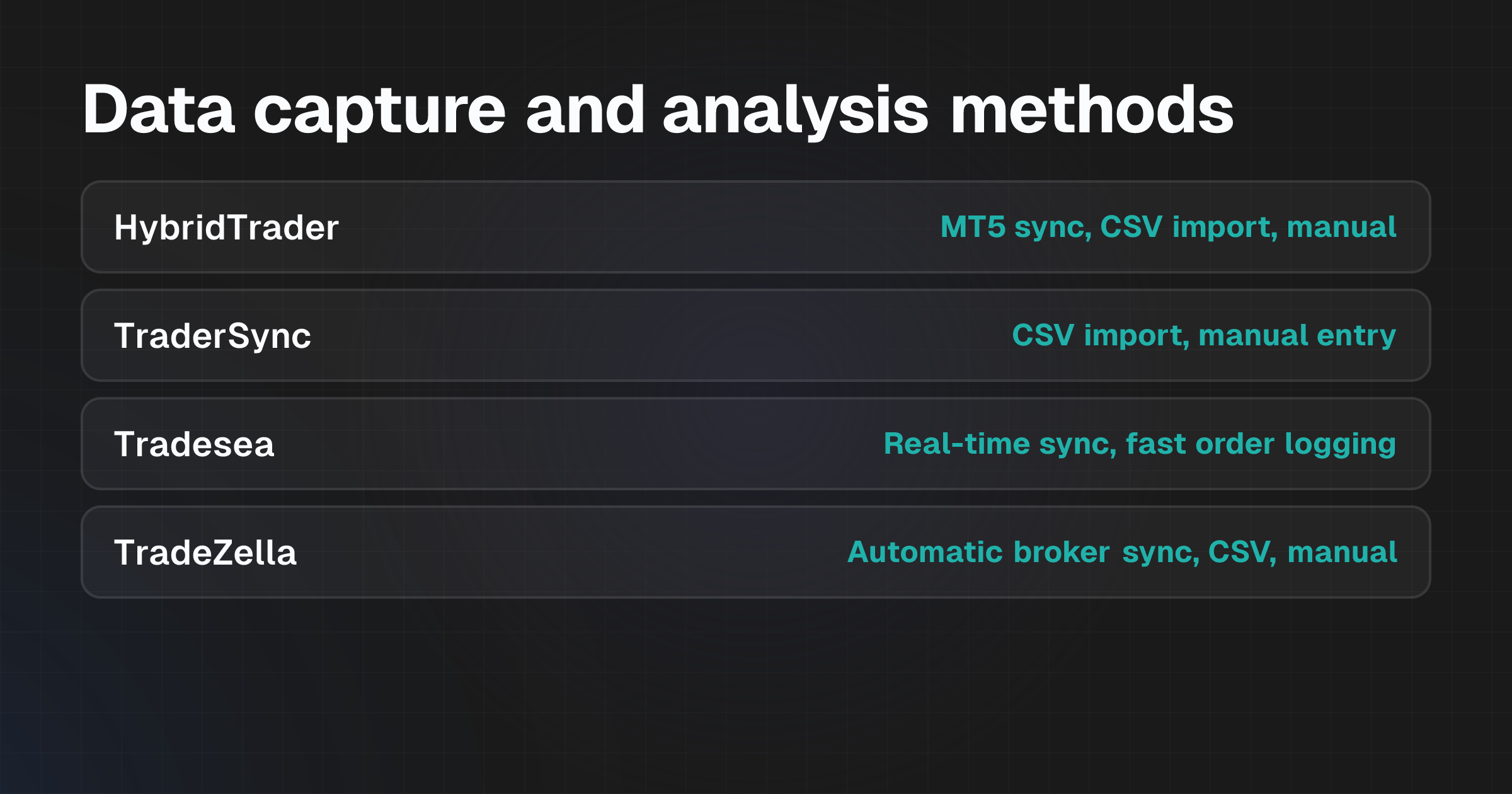
Compare the options at a glance: Data capture and analysis methods
| Tool | Data Capture | AI Analysis Approach | Platform Support | Primary Focus |
|---|---|---|---|---|
| HybridTrader | MetaTrader 5 sync, CSV import with auto-column matching, manual entry | Automated decision review + conversational trade questions + suggested observations tied to market context (macro events, price action, sentiment) | 50+ platforms via CSV; MetaTrader 5 native sync | Traders combining market context with psychology-focused trade review |
| TraderSync | CSV import, manual entry (specific method not documented) | Pattern recognition, mistake categorisation, performance analytics | Multiple broker connections (specific list not documented) | Traders focused on identifying recurring mistakes and performance patterns |
| Tradesea | Fast order sync, real-time logging (technology optimised for high-volume trading) | Deep analytics, AI-powered insights on trade execution and positioning | Designed for ultra-fast execution environments (AWS infrastructure globally) | High-frequency and active traders requiring millisecond-level accuracy and institutional-grade analytics |
| TradeZella | Automatic sync from brokers, CSV import, manual entry | Automated session review, game plan building, performance analysis | Broker-dependent (specific integrations not documented) | Traders wanting automatic logging with minimal manual input and session-by-session review |
The key distinction is capture method. HybridTrader and TraderSync rely on CSV or manual entry; Tradesea prioritises real-time automated sync for high-volume environments; TradeZella emphasises automatic broker sync for convenience.
Analysis differs too. HybridTrader layers market context onto psychological insights. TraderSync focuses on mistake categorisation. Tradesea emphasises execution analytics. TradeZella automates session summaries.
How the shortlist was selected
These four tools were chosen because they explicitly market AI-powered trade journaling to active traders and document at least one automated data capture method. The selection prioritises tools that distinguish themselves through different capture mechanisms, real-time sync, CSV, manual, and different AI analysis approaches: conversational, pattern-based, context-aware, or session-focused. Tools that are spreadsheet-only or purely manual were excluded. So were products lacking documented platform integrations or AI analysis features.
The research draws on each product's official website and published descriptions, verified on 22 October 2026. Where specific integrations or pricing details were not found, they're noted as not covered in this comparison rather than assumed to be absent.
The tools and who they suit
HybridTrader: Market context and decision-quality review
HybridTrader connects MetaTrader 5 directly, syncing trades in real time. For other platforms, including TradeLocker, Tradovate, NinjaTrader, and 46 others, it accepts CSV exports with automatic column recognition and clear error handling. Manual entry is also supported for custom notes or missing data.
The AI analysis combines three layers. Automated decision reviews assess trade setup quality against entry and exit criteria. Conversational prompts ask you reflective questions about trades. Suggested observations link to market context, economic events, daily macro briefs, price action patterns, and sentiment shifts. This positions HybridTrader for traders who want to understand not just what they did, but why it worked or failed in relation to broader market conditions.
The platform requires choosing a plan that includes the review features you need. Market context integration is a key differentiator here, rather than treating each trade in isolation, HybridTrader contextualises it within the macro environment and your decision-making process. If you're ready to review decision quality systematically, you can begin by signing up at https://hybridtrader.ai/sign-up to test the workflow.
Best for: Traders who believe market context and psychological patterns are central to improving performance, and who trade platforms compatible with MetaTrader 5 or can export CSV data.
Limitation: CSV import requires manual export steps from non-MetaTrader platforms. While auto-column matching reduces friction, this is slower than real-time broker sync for traders generating many daily trades.
TraderSync: Mistake categorisation and pattern recognition
TraderSync accepts CSV imports and manual entry, positioning itself around identifying recurring mistakes and performance patterns. The tagline, "The Trading Journal That Tells You How to Win", signals a focus on turning trade data into actionable insights through systematic error tracking and analytics.
The platform doesn't document specific broker integrations. Data entry likely requires exporting trades manually and uploading them. This suits traders who review performance in batches rather than requiring live logging.
Best for: Traders who want to systematically categorise their mistakes and spot recurring patterns without needing real-time capture. If your workflow involves daily or weekly batch review and you're comfortable with manual data entry or CSV export, this approach works.
Limitation: No documented real-time broker sync means traders with high daily volumes may find manual entry or regular CSV exports tedious. The analysis approach isn't documented in detail, making it harder to assess what specific insights the AI surfaces compared to conventional analytics.
Tradesea: Ultra-fast execution and institutional analytics
Tradesea is built around real-time order sync and deep analytics for high-volume trading. Its infrastructure, AWS-backed and globally deployed, is optimised for millisecond-level accuracy and handling a million-plus orders daily.
This is fundamentally different from the other tools on this list. They prioritise decision review and pattern discovery. Tradesea focuses on execution quality.
The AI-powered insights focus on trade execution quality, positioning, and institutional-grade analysis rather than behavioural or psychological review. This makes Tradesea an institutional-style tool adapted for retail traders who execute many trades at speed.
Best for: Active and high-frequency traders who prioritise execution analytics, institutional-grade positioning insights, and can leverage real-time order sync. If you trade derivatives or forex with tight entry-exit windows and want institutional-level trade analysis, Tradesea's speed and depth offer a clear advantage.
Limitation: The focus on execution and institutional analytics means fewer tools for psychological or decision-quality review compared to HybridTrader or TraderSync. This is appropriate for execution-focused traders but may not suit those seeking behavioural insights or market context integration.
TradeZella: Automatic logging and session review
TradeZella emphasises automatic broker sync and minimal manual input. Once set up, it logs every trade automatically, then generates session reviews and game-plan summaries without requiring further data entry. The tagline, "The AI trading journal that knows your trades, builds your game plan, and reviews every session automatically", centres on convenience and rapid feedback.
Specific broker integrations aren't documented. Verification with your broker is required before subscribing. The analysis generates automated session summaries rather than conversational prompts or detailed psychological reflection.
Best for: Traders who want hands-off logging and quick session summaries, and who trade via a broker with TradeZella integration. If you generate many trades daily and want to review them automatically without manual input, this reduces friction significantly.
Limitation: The lack of documented broker integrations means compatibility must be confirmed before committing. Automated session reviews may be less detailed than tools offering conversational reflection or market context integration. This suits speed and convenience over depth of insight.
Choose for your workflow
Start by identifying your data source. If you trade MetaTrader 5, HybridTrader's native sync is the fastest option. If you use another platform, check whether it supports CSV export, most do, and whether TradeZella integrates with your broker. For high-frequency trading, Tradesea's real-time sync is designed explicitly for that use case.
Next, define what you want from analysis.
If you want to understand why trades worked or failed in relation to market conditions and your psychology, HybridTrader's market context layer is distinctive. If you prioritise systematic mistake tracking, TraderSync's categorisation approach fits. If you need execution analytics and positioning insights, Tradesea is built for that. If you want rapid session feedback with minimal effort, TradeZella automates that.
Consider your review cadence. Real-time sync, Tradesea and TradeZella, suits traders who review trades immediately after closing. CSV import or manual entry, HybridTrader and TraderSync, works for batch reviews, daily or weekly. If you trade multiple times per day on non-MetaTrader platforms, manual data entry becomes a bottleneck. Automated capture is worth prioritising.
Finally, verify integrations. Check that your broker or platform is supported. If documentation is sparse, contact the vendor before signing up to confirm compatibility and understand setup effort. HybridTrader's 50+ platform support via CSV and MetaTrader 5 sync makes it broadly compatible, but confirmation is still wise.
Questions to resolve before subscribing
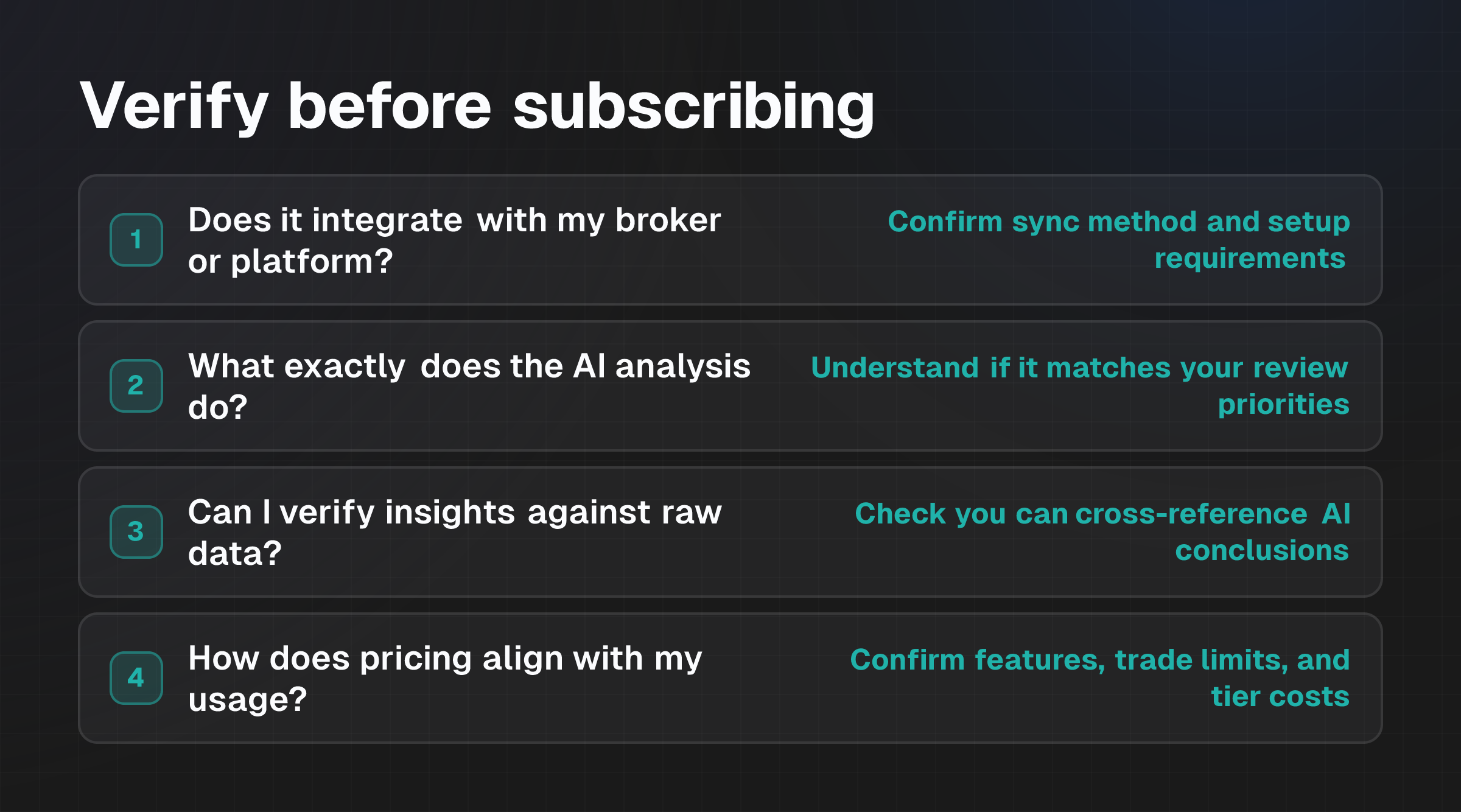
Before committing to any tool, ask yourself and the vendor:
Does it integrate with my broker or platform?
Real-time sync is fastest but broker-dependent. CSV export works with almost any platform but requires manual export steps. Confirm the specific integration method and any setup requirements.
What exactly does the AI analysis do?
"AI-powered" covers many approaches. Pattern detection. Automated summaries. Conversational prompts. Mistake categorisation. Market context integration. Understand which one the tool provides and whether it matches your review priorities. What an AI Trading Journal Records (and What It Cannot Know) explores what these systems can and cannot observe.
Can I verify the insights against my raw data?
Good tools show you the underlying trade data alongside insights, so you can check whether the AI's observations are accurate. Ensure you can cross-reference conclusions with your actual trades and market conditions.
How does pricing align with my usage?
Most tools charge monthly or annually. Confirm what features are included at each tier, how many trades you can log before hitting limits, and whether there are setup or integration fees. If you log hundreds of trades monthly, ensure the plan accommodates that volume without surprise overage costs.
What happens to my data if I leave?
Check whether you can export your trade history in a standard format, CSV, JSON, if you decide to switch tools later. Vendor lock-in is a real risk if data export is restricted or expensive.
Is there a trial or onboarding support?
Most tools offer a free trial or money-back guarantee. Use that period to import sample trades, test the analysis, and confirm the workflow fits before paying.
FAQs
How does automated trade review differ from conversational analysis?
Automated trade review generates summaries and statistics based on preset rules. For example, it flags trades that violated your stop-loss rules or highlights your best-performing setups.
Conversational analysis uses AI prompts to ask you questions about your trades, encouraging reflection on psychology, decision-making, and context. HybridTrader uses both. TradeZella emphasises automation. TraderSync focuses on mistake categorisation. Choose based on whether you prefer passive reporting or active dialogue.
Can I use these tools if I trade multiple platforms?
Yes, but it requires choosing a tool that supports all your platforms. HybridTrader's 50+ platform support via CSV makes it broadly flexible. If you use MetaTrader 5 exclusively, native sync is simplest. If you use proprietary or niche platforms, check before subscribing. Most tools support CSV export as a fallback, though this requires manual export steps.
What if my broker doesn't integrate with the tool I want to use?
CSV import is a standard workaround. You export your trade history from your broker, most platforms offer this monthly or on-demand, and upload it to the journal. This is slower than real-time sync but works with any broker. Some tools also accept manual entry if CSV export isn't available, though this is labour-intensive for active traders.
Do these tools predict future trading performance?
No. They analyse past trades and identify patterns to help you improve your process. Can AI Trading Journals Predict Future Performance explains why prediction claims should be treated with scepticism. Journals are analytical tools, not forecasting systems.
How much does a trading journal typically cost?
Pricing varies by tool and plan. Most charge monthly subscription fees ranging from £20, £100+ depending on features and trade volume. Confirm what's included at each tier and whether there are setup or integration fees before committing. Many offer free trials, use these to test before subscribing.
Should I choose based on features alone, or does usability matter?
Usability is critical. A feature-rich tool you find confusing wastes time rather than saving it. Test the interface during a trial, check whether data import is straightforward, and assess whether the dashboard and review process feel natural for your workflow. A simpler tool you actually use beats a complex one gathering dust.